Introduction
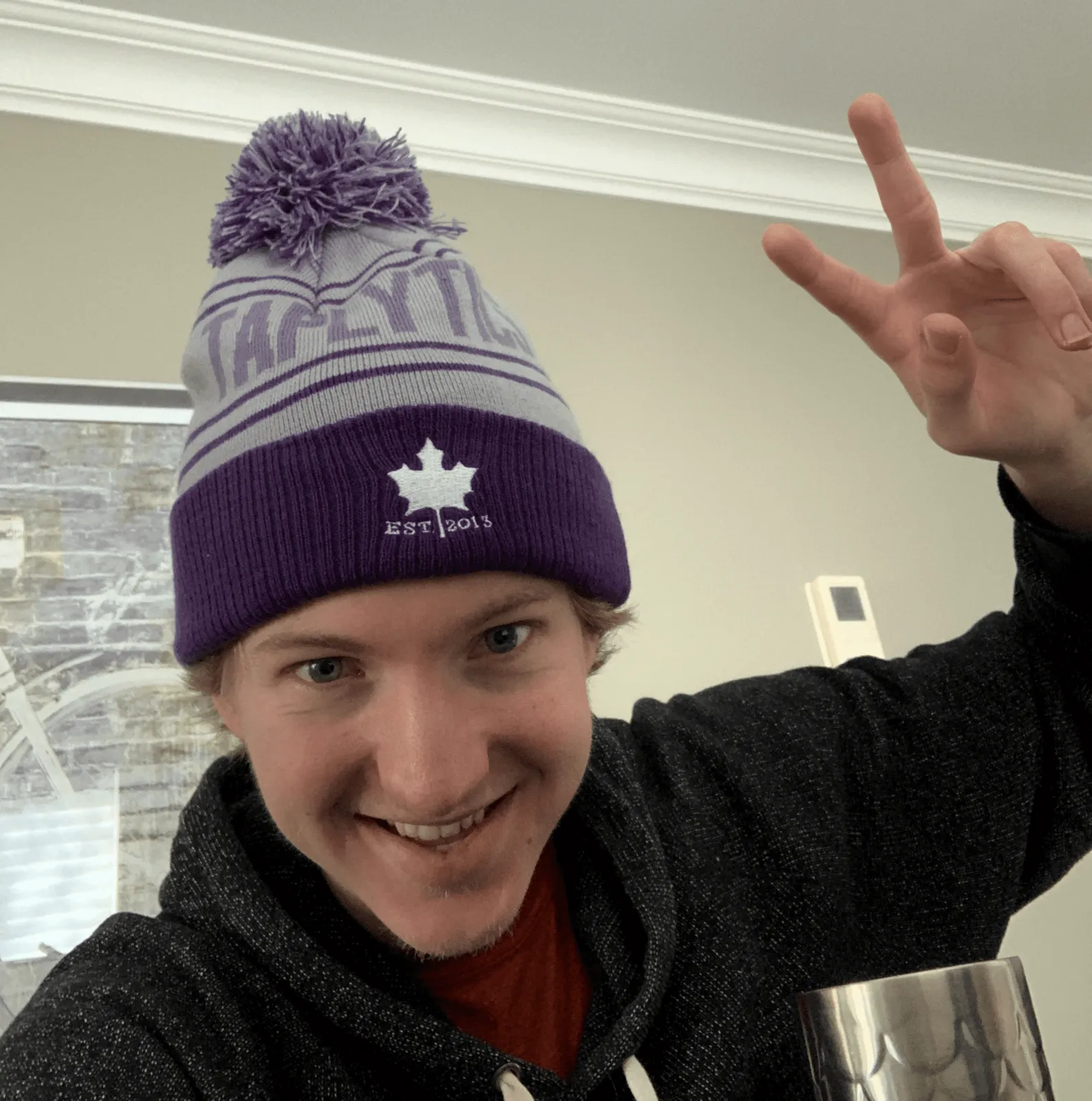
Welcome to my third work term report! This placement has been a lot of fun and I have had an unreal experience. I have also got to meet and interact with some really great people, some of which I have worked with before! Throughout this report I will talk about the company I had my placement with, some goals I set for myself, and what the overall experience was like. I will also talk a little bit about how working from home and going completely remote due to COVID-19 has impacted this co-op experience. I hope you enjoy, and for any other information feel free to contact me!
Employer Information
For this placement I was located in downtown Toronto, an area I have become very familiar with these past co-op placements! I joined Taplytics as a Full Stack Intern Developer, for a short but absolutely rewarding 4 month term. In my previous experiences I generally had a pretty good idea of what the company did and how they did it, but this was different. The information I uncovered when applying to Taplytics was just scratching the surface. They are actively doing so much more than I initially thought, and it was really cool getting to experience it all. Taplytics transforms data into universally actionable campaigns and experiments where you can create unique personalized digital experiences across apps and the web. Simplifying that a bit, Taplytics offers a bunch of different services (A/B testing, Launch Control or Feature Flags, Email Marketing, Push notifications) and lets clients wrap all of these features into a single campaign, or journey. This lets clients make data driven decisions and also provides unique online experiences that are custom tailored and the best possible fit for each user! This business concept was tough to wrap my head around but even more interesting to develop for it! Taplytics gives clients the ability to know what’s going on in the state of their website or app, and how users are behaving, reacting and making decisions under certain conditions. This is done all through an easy to configure "Journey Builder" that requires no development work, and allows clients to do everything themselves! Taplytics was a part of Y Combinator and founded by Cobi Druxerman, Aaron Glazer, and brothers Andrew Norris and Jonathan Norris. This has been one of the most interesting and exciting placements so far, and I hope to be back one day! If you want to see what Taplytics is all about, check them out! Taplytics' Website
Goals
For this placement I created 3 goals for myself to achieve by the end of this placement. This term was interesting as I had my own goals regulated by the co-op program and Experience Guelph, while I also had goals and feedback set up through Canada's Information and Communication Technology Council (ICTC). It was good to see that there are other programs out there furthering Canada's digital advantage, especially for students. My first goal surrounded a decently complex technical implementation, my second related to UI/UX personal design improvements, and my third was a testing piece. I was uncertain of how exactly these goals would play out (especially the second one!), but I was motivated and committed to learn, grow and work my hardest to achieve them.
- Write or implement a substantial Backend Service
- Improve my design skills (UI & UX)
- Get better at Testing Things
I'm happy to report that at the end of the term I believe I sufficiently achieved all of my set goals. The first goal came with the eventual familiarity of the code base, the second was due to some much needed sitdown sessions with our product designer, and the last was through almost every piece of code I wrote during this placement.
Starting with the first goal, I was pretty well versed with JavaScript and full stack web development through past experiences and my own experimentation, but I really wanted to get more experience with backend code. At Taplytics we were using the familiar NodeJS and Express for most of our APIs, but we also had a bunch of other technologies that I have never worked with, so this was a great learning experience. Some of these included Redis for deduping/caching, Kafka for data interconnectivity, and MongoDB, Postgres, Cassandra and Vertica for data storage. I was lucky enough to interact and touch almost all of these technologies, during which I was able to learn how they worked and also achieve my goal. One task that stood out was being able to implement and test a new Redis library that gave us the ability to connect to multiple different Redis clusters, and also provided us a clean and concise interface to interact through. Although I did not write the library, I still learned the ins and outs of how it worked and how we utilized Redis in our codebase. This was a neat challenge as it was something I have never done before and was not directly writing code to solve a problem. I was adapting legacy solutions to work with our new system, and also learned about how we can adapt code for future maintainability. I also wanted to mention how cool Kafka is, and that this is something I am definitely going to be working with in the future. Through these experiences I feel that goal one was most definitely accomplished.
The second goal was something I probably could have worked on anywhere, but after seeing how our product designer pumped content out left and right, I really wanted to pick his brain and learn more. Being a web developer I have lots of experience on the frontend, but I still don't have very strong design skills. Most of the time you get a design handed to you to implement, so I did not recognize what makes something a good UX vs a bad UX. The first session was basically a design review, in which he reviewed a feature I was implementing. This was much like a code review, but we focused on the user and how they interact with the feature. This is something that I would not have usually done, and incorporating design review into development is incredibly useful. When asking how I can come up with creative and elegant designs, he recommended the use of a component library (which we use at Taplytics!) and also sketching designs out first. Much like planning code, you need to plan your design. Component libraries let you be consistent and build on top of other components, while sketching things on paper and actually interacting with them gives you a sense of how it "feels" to use the design, and any obvious pain points. I have actually learned about paper-prototyping in school, so this was a great reminder to actually practice it. Most of my (personal) designs are shoddily cobbled together, and I forgo actually thinking about how the user will feel using these, so his advice was very welcomed. Throughout these sessions I feel like my design capabilities have definitely improved, and I am actively adhering to the advice I was given when developing UI's. Goal #2 check!
My last goal relates to something that most developers agree is absolutely necessary, but sometimes forgotten. I personally have never been as involved in testing as I have been at Taplytics, so this was a great experience. I have written tests for my code before, but have never been absolutely comfortable with being able to consistently test the functionality I was implementing. This changed when I was able to gain experience with Jest, Enzyme, K6 and Cypress. I have used Jest to write simple unit tests, but nothing like the integration and end to end tests using Enzyme and Cypress I was able to create here. I gained a lot of experience with Jest's more advanced features including function and module mocking, timers, asynchronous testing and utilizing the test output! I had never worked with Enzyme or Cypress before this placement, so gaining this experience was great. Enzyme allows you to render your component(s) that will be used in your test, and lets you actually interact with the DOM to simulate a real user. This was way more involved than Jest's unit tests, and was really useful to be able to write mini DOM integration tests. Lastly, learning about Cypress and how this framework works really topped this testing goal off. Cypress lets you write real end to end tests, that let you programmatically interact with whatever you are testing, and automatically assert conditions on the subject. Think of it as a better and less flaky Selenium. This was so cool to learn about, as we set up helpers that would mimic functionality in our web app, and we could lay out these Cypress "chainables" that would string together actions in our test that would act as a real person interacting with the app. I will talk more about Cypress + K6 testing in my featured aspect, but overall I'm really happy with the amount of testing experience I was able to gain. 3 for 3!
Job Description
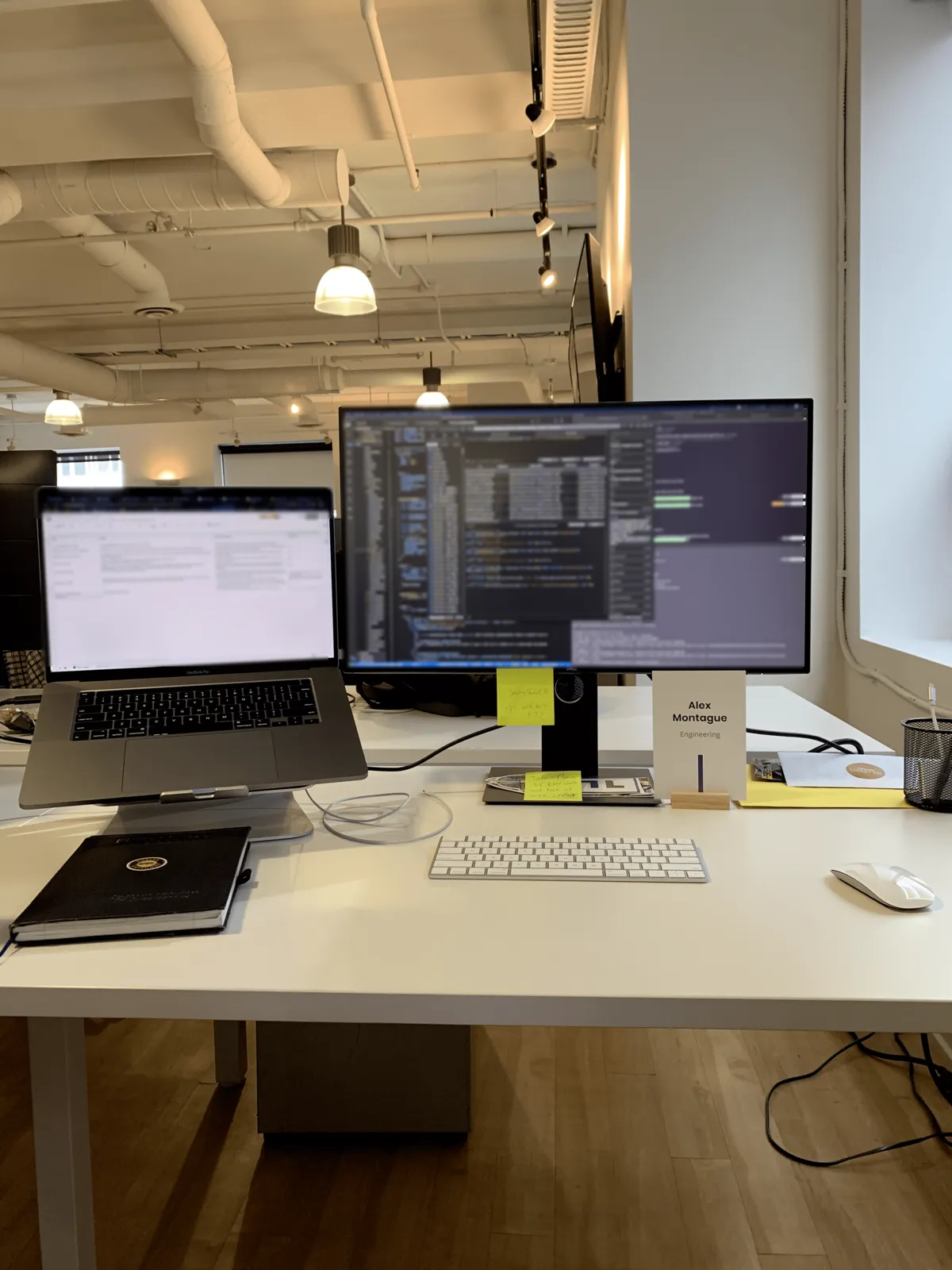
I joined Taplytics as a "Full Stack" developer, and that was pretty true to what I was doing! I was touching all parts of the product (frontend, backend, infra) and from what I have experienced so far, I really enjoy being more of a fullstack developer that has knowledge of how everything works together. I believe having a broad understanding of the codebase really helps when developing features, and gives you lots of valuable context. I was placed on team Delissio (because we were the delivery team 🍕) where we worked to deliver features to one of our main clients. This was pretty cool as I got to work directly with the people utilizing our software, and was able to see how we moved from product requests --> development --> delivery on a regular cadence. My day to day consisted of a daily standup where the team coordinated on what we were doing for the day and if there were any blockers, meetings if there were any, and development! We had a pretty solid agile process in which we conducted 1 week sprints, with a grooming, planning and retro per sprint. I have done the usual agile plan + retro but this was nice to have a grooming considering our close involvement with clients. The grooming would set us up for development right away and we could discuss any unknowns or blockers that came up with our definition of Ready.
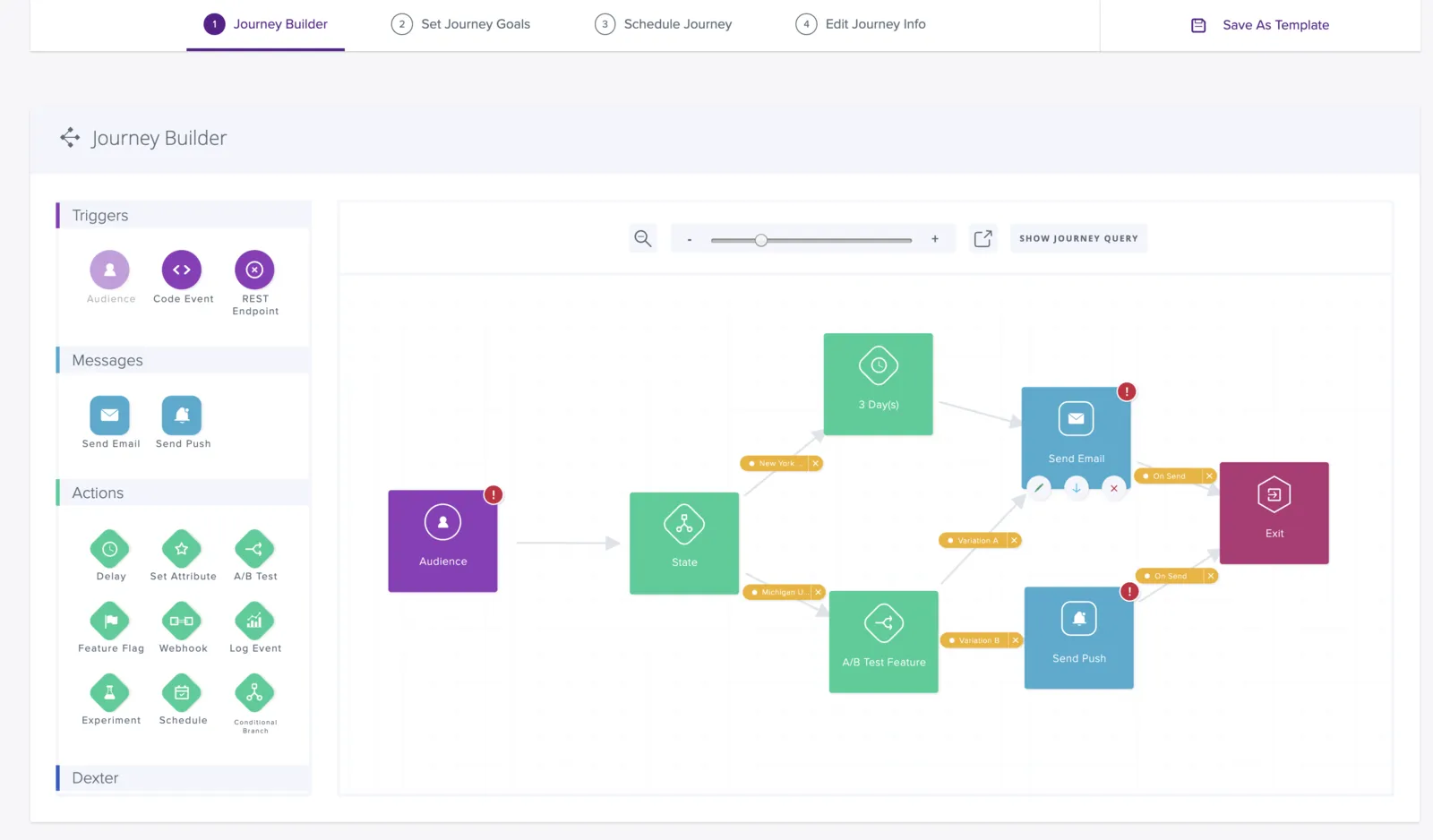
One thing that was interesting/unique about my job was probably the whole product, and the sheer scale at which we were working with. This has been one of the most interesting products I have been able to help build, and the scale at which we operate was insane to see. Some journeys that clients would run could have millions of users passing through them, and everything needed to work exactly as specified down to the minute. For a little more context on what these "Journeys" are, a Journey is basically simulating some sort of campaign or user journey through a website/app. You start by selecting an audience (based on any user attribute that is available in your data source), and then add other nodes for each user to pass down. Check the Journey example below for how this might work, and the power you can unlock by crafting Journeys based on any use case.
Some of the skills that I needed to succeed at this job were obviously some prior web dev/JavaScript knowledge, but also a passion to learn. I already had practice with React/Redux and Node/Express + Mongo/Postgres which was definitely a plus, but the rest of our Backend stack was completely new to me. I really love to learn new things and want to do the very best I can at any job I’m placed in, so in my opinion a motivation to learn is one of the best skills you can have for any job. Software design classes had also prepared me for agile and scrum team environments, so I understood our practices and methodologies right off the bat!
Some skills that I gained during this placement happened to align pretty well with the goals that I set for myself. I learned about more backend infrastructure and how to work at such big scale, I improved on my design skills and I got way better at testing! I attribute most of my success to the great resources I had available at my disposal, and the tight-knitness of the team/company. I was able to go and talk to any other developer when I had questions or concerns, and I was really able to influence what I wanted to work on. If I was interested in learning or getting more experience with something, I could usually get to work on it!
Academic Relation
Relating this job back to my degree and studies, I feel both positively impact each other and enhance my learning greatly. There were some experiences and concepts I had learned before this placement that positively affected my work experience, and what I have learned from this placement will also allow me to further succeed in my next co-op and school terms. Taplytics was a fantastic co-op placement and I have learned a lot that I will take with me throughout my career. I would also like to highlight the importance of relationships, and how that is one thing that sometimes gets missed in the academic portion. I was lucky enough to know a few people here at Taplytics that I had worked with before, and that was how I got put in contact with recruiting, and eventually landed the job. Without making (and keeping!) these connections, I probably would not have been working here today. I think it's valuable to not only be a great developer as a co-op, but also be a social and good person to stay connected with. You never know when the connections you have made might help you out later!
Featured Aspect
One aspect of this work term that I would like to focus on and talk a little bit more about is the JavaScript end to end testing framework, Cypress. This was the first time I have ever used this framework, but it will not be the last as I think this is an immensely useful tool. Cypress is an open source, front-end testing tool, built for the modern web that allows interaction with the DOM in order to test certain functionality with your web application.
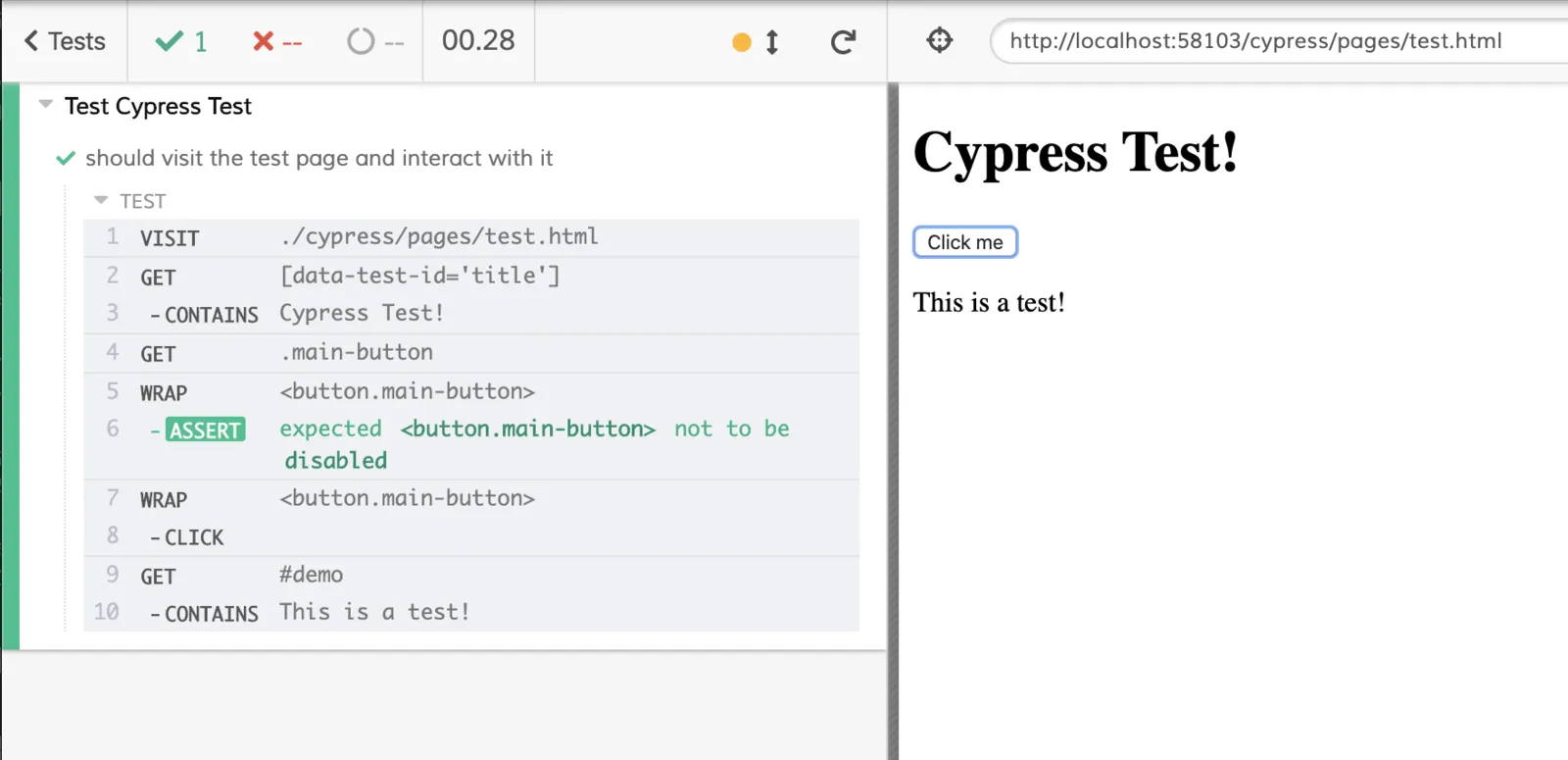
An example end to end journey simulation running in Cypress
As you can see, this test actually interacts with the application as a simulated user. It actually visits pages, clicks, interacts with inputs and can send and wait for requests. It really is a cool framework that allows some super in depth testing to be done. A lot of the tests you would do with Cypress are smaller integration tests that depend solely on the frontend. In the test above, we have this set up so it creates and runs a journey on our frontend web app and also polls our event database to check that the journey actually runs and succeeds! This is something I was working on near the tail end of my placement, and our goal is to have this run nightly and or on every PR just so we have that extra level of confidence. This is just one use case that we have for Cypress, but we use it in a multitude of other ways as well. In the following code snippets, I'll show you how to set up a super simple Cypress automated test!
<!DOCTYPE html>
<html>
  <body>
    <h1 data-test-id="title">Cypress Test!</h1>

    <button
      class="main-button"
      type="button"
      onclick="document.getElementById('demo').innerHTML = 'This is a test!'"
    >
      Click me
    </button>

    <p id="demo"></p>
  </body>
</html>
Say we have this super simple web page. This is what we will be testing! As you can see we have a few different elements and some attributes (like data-test-id) that will come in handy later!
Our Cypress Test:
describe("Test Cypress Test", function () {
  it("should visit the test page and interact with it", function () {
    // visit the web page
    cy.visit("./cypress/pages/test.html");

    // check the title for the correct title
    cy.get("[data-test-id='title']").contains("Cypress Test!");

    // check our button and click it!
    cy.get(".main-button").then(($btn) => {
      cy.wrap($btn).should("not.be.disabled");
      cy.wrap($btn).click();
    });

    // check that our button did what it should have
    cy.get("#demo").contains("This is a test!");
  });
});
We do a few things in this test, but it is all super simple. This is just showcasing some of the features available to use within the Cypress framework. Right off the bat we can notice that it is set up very much like every other JS assertion library, and this was done on purpose. They made it very understandable and use the familiar testing language like "describes" and "it", as well as using some of its own human readable methods that we will get into. The next nice thing is that the test(s) will be laid out in a top to bottom readable fashion, and this is largely because of Cypress' chainables. They act very much like JavaScript's native promises, and will allow you to do asynchronous actions either by yourself, or abstracted away through the framework with ease. The main basis of these tests are grabbing DOM elements, and interacting with them. Cypress lets you get elements in a multitude of ways, and we do so here with the cy.get() command, that lets us use any selector we want (id, class, custom attribute). Cypress asserts on all checks we have in the test, and will fail if any one of these are not met. On a failure you can also set retry intervals to try the test again, but that is usually not needed if you write the tests to not be flaky.
Adding custom Cypress chainables:
// define the new cypress chainable
export const addDelayToJourney = (delay: number) => {
  cy.get(getDataTestIdSelector('delayJourneyNodeInList')).click()
  cy.wait(2000)
  cy.get(getDataTestIdSelector('delayJourneyNode'))
    .last()
    .trigger('mousedown', { force: true })
    .trigger('mouseup', { force: true })
  cy.get('.editButton').trigger('mousedown', { force: true })
  cy.get(getDataTestIdSelector('delayInput'))
    .clear()
    .type(`${delay}`)
  cy.get(getDataTestIdSelector('delayDropdown'))
    .first()
    .click()
  cy.get(getDataTestIdSelector('dropdownOption'))
    .last()
    .click()
  cy.get(getDataTestIdSelector('modalFooterConfirmBtn'))
    .first()
    .click()
  return cy
}

// add the custom method to the Cypress global
Cypress.Commands.add('tlAddDelayToJourney', addDelayToJourney)

it('should create a journey with a delay and start the journey', function() {
  cy.tlCreateJourneyWithUi(journey)
    .tlAddDelayToJourney(1)
    .tlStartJourney()
});
This is a slightly more complex example that we currently use in our own Cypress journey tests! All it does is create a journey, add a delay node to that journey, and start it. As you can see from the test structure, we have abstracted all of the DOM interaction logic into separate chainables that can be reused in other journey tests. I have chosen to look into our custom chainable that adds a delay node to our journey. All we do here in the method addDelayToJourney is interact with a journey delay node in our journey interface. Cypress provides us with some nice features like clicking, clearing, inputting and selecting the nth DOM element in a selection. A journey delay node allows you to specify an amount of time to delay a user in a journey, and this method takes an amount as a parameter. You can specify the exact amount in the test (delay), and the custom method will use what is passed in, just like any other function/method. Just reading through the test we can see we open the node, input our specified amount, and close the node again. It looks long, but is actually super easy. We have more complex tests, but this is really all it boils down to. Cypress gives us the confidence and ease to write end to end tests, with reusable and highly configurable interactions. Overall this framework is fantastic and I will definitely be using it more in the future!
Conclusion
Taplytics has been a great placement and I could not have asked for more. I will take the experiences and skills I have gained here throughout my career, and would love to come back one day. The work I was able to achieve over these 4 months was exciting, challenging and rewarding, not to mention the people I was able to interact with were also awesome. Not one person I asked for help would turn me away, and everyone always wanted to see me succeed. I was really blown away with the product and thought it was legitimately one of the coolest things I have been able to work on, so this was a great placement. Some of the companies that use our product every day are quite big, so I really enjoyed building a product that some seriously influential companies utilize every day. I was really glad that I was able to work with some old co-workers again, and I hope to do it again with everyone I have met here once more! A big thank you goes out to some special people who made this term fantastic. Jon for being a great manager and someone who I could ask about my future as a developer, Dave for being awesome and teaching me some really cool things throughout this term, the entire Delissio team for creating an awesome environment to work in, and lastly Nik for pestering me to come work here :). Thanks again to everyone at Taplytics, it has been really fun.
Extras
As mentioned, I have a few extra things to share including one of the features I worked on and how a pandemic affected this co-op term.
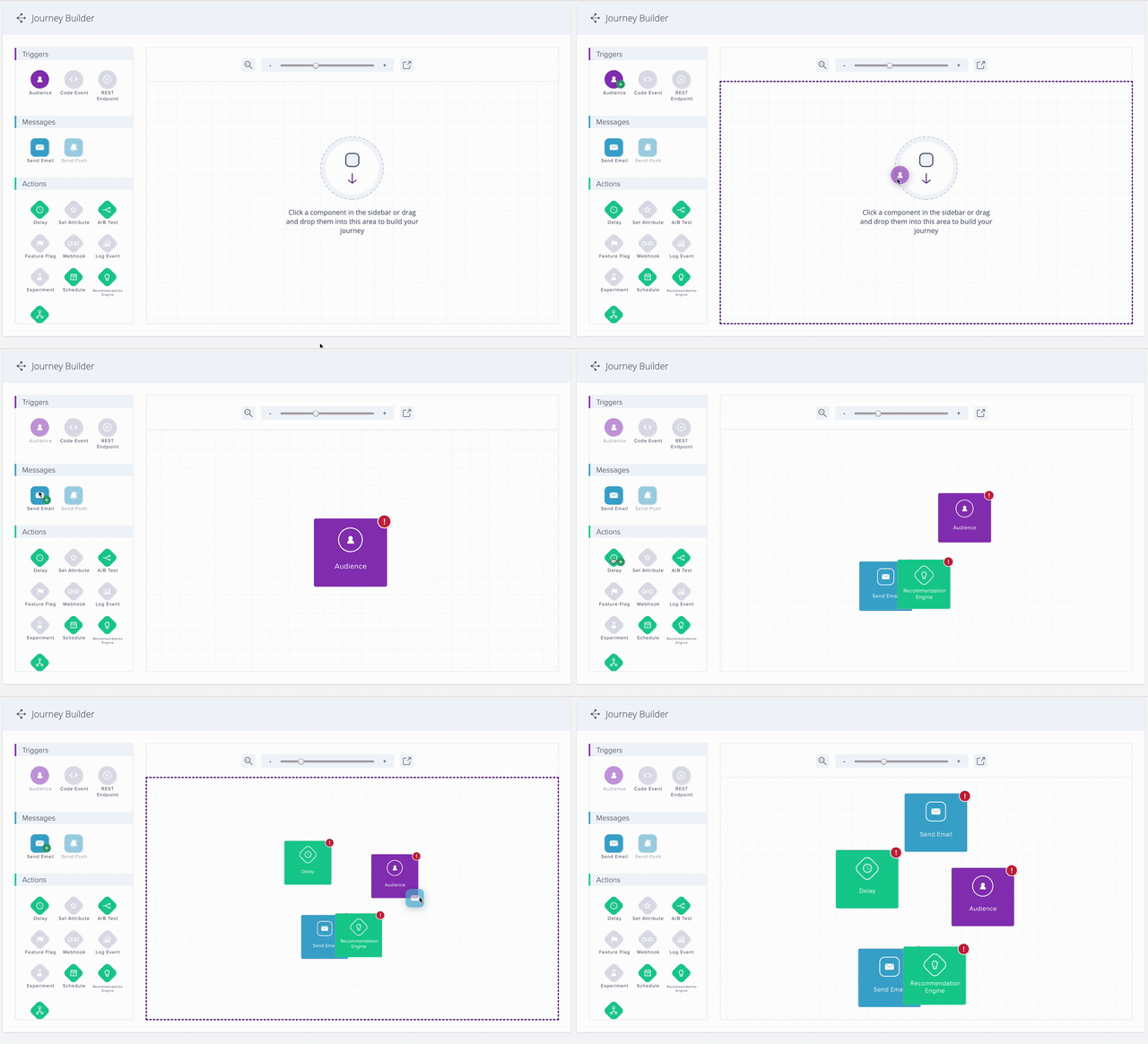
This feature was something that had been in our backlog for over a year, and within the first 2 months of arriving at the company I was determined to get this one to production. Our main product guy Vic came to me at a social event and said "Hey I heard you found this ticket, make it happen!" and the rest is history 😁. It was a fun challenge to work on as this made use of the DOM drag API, which was interesting to work with. For some context as to what this feature actually was, when crafting a Journey you can add nodes to the journey canvas in order to position them as you wish. Beforehand, you could only click on the nodes in the left sidebar and they would be randomly added to the canvas. This led to some frustrating UX as you were constantly dragging nodes around in the actual journey builder, but when adding a node, you would need to click. People would instinctively try to drag nodes from the sidebar over to the canvas and that would not work as intended. Now it does! It was fairly straightforward getting the drag and drop API working and adding the node to the canvas, but what was really not easy was getting the node to be placed exactly where the user's mouse was positioned. I will spare you the calculations, but it felt like I was back in math class again!
Working At Home - COVID-19
One other small thing I wanted to touch on was how COVID-19 affected this co-op placement. I first wanted to say that I was very lucky to be able to continue my placement and adapt to the current precautions put in place. Many people (including some I know) have lost jobs or internships because of this pandemic, so I was very thankful to be able to stay with Taplytics and work normally.
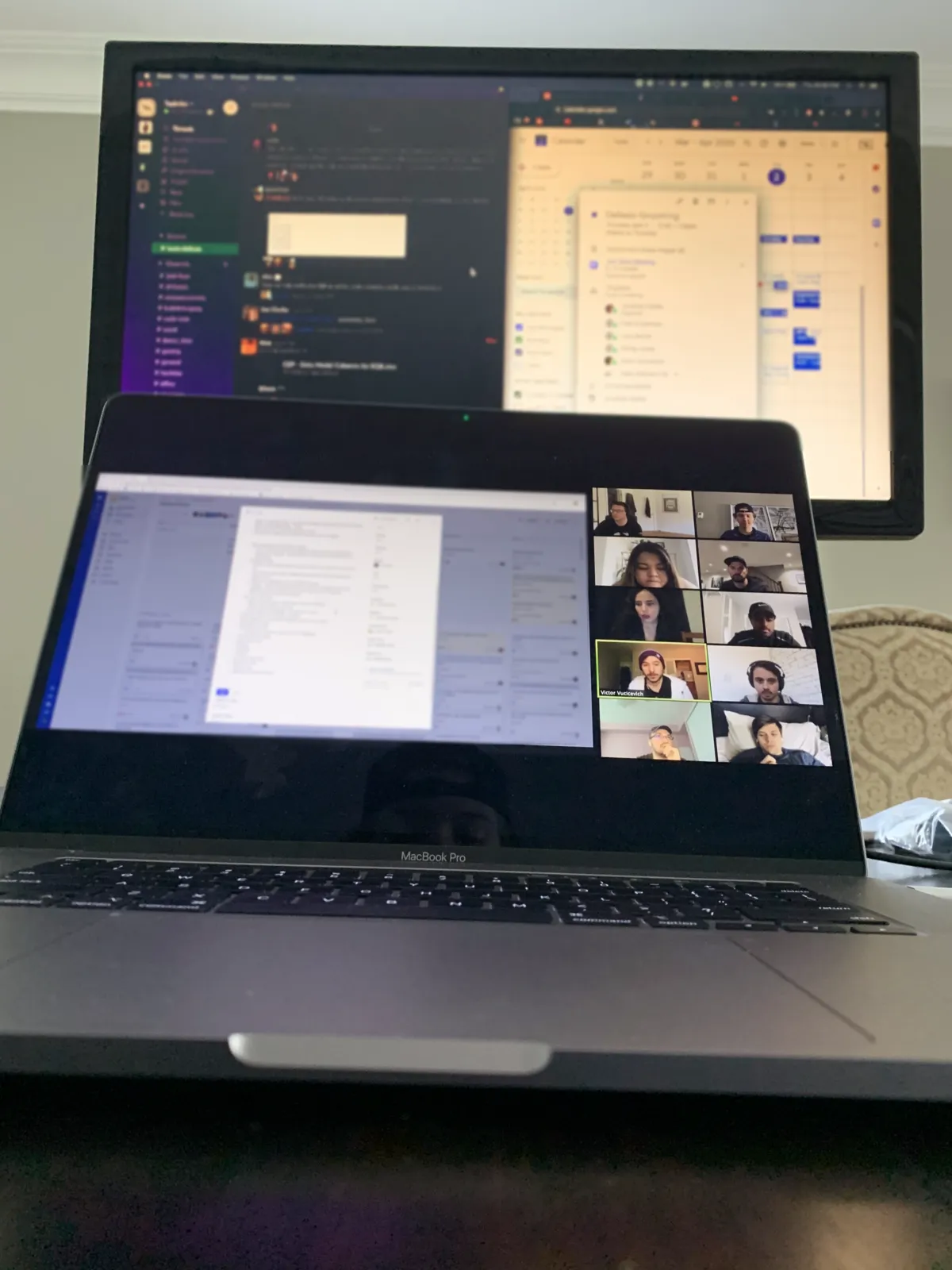
Although this was a huge curveball, I have learned some valuable things about working from home and communicating better with teammates via mediums like Slack and Zoom. I was always one to prefer coming into the office and working around others (and still am!), but this was a good change as working from home is sometimes needed and now lots of jobs in this sector are entirely remote. It has also given me more time (no more commute!), which is always nice as I now get to spend that time with my family or working on other interests.
Although this is a tough time, I have definitely made the best of it and want to thank everyone at Taplytics for making this a great experience. I will surely never forget this placement and the crazy time this has been!